


Choosing a casino app isn’t just about tapping the top icon you see in the store. A well-designed app converts the jerky, reload-heavy browser experience into something smooth, secure, and truly fun—it maintains the desktop-quality sensation but includes features made for thumbs, not pointers. If you prioritize performance, consistency, and reaching your favourite games quickly, a purpose-built app like the one from Trino Casino gives you distinct benefits over a browser shortcut. This guide explains the true gaps between a refined, dependable app and one that’s barely holding together. We will discuss safety measures, device support, the actual process to set up and install, and how in-app capabilities, transactions, and speed should influence your decision. In this guide, Trino Casino’s mobile app serves as a working demonstration of how a current casino handles these things without unnecessary hassles.
Why a Specialized Mobile App Surpasses a Mobile Browser
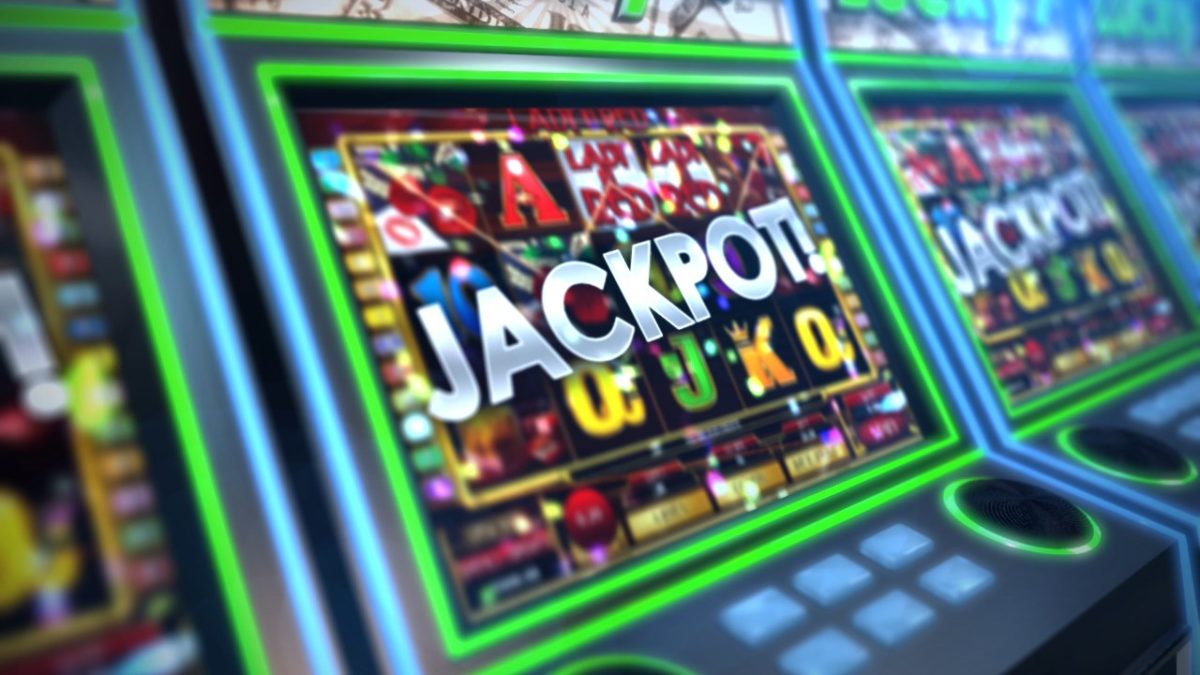
Certainly, mobile browsers may run casino sites, but they add overhead that a native app simply removes. A dedicated app holds core graphics and game logic directly on your phone, so it does not need to re-download interface bits every time you open it. The result: quicker loading, seamless animations, and less in-game stuttering when your signal fluctuates. Trino Casino’s app, for instance, stores the lobby layout and your most-played games, so returning players reach the game grid nearly immediately. Beyond speed, a native app can access hardware that a browser can’t reliably reach—think fingerprint or face login via the phone’s biometric sensors. It also processes push notifications far better, alerting you to a tournament start or a personal bonus without requiring an open browser tab. If you switch between Wi‑Fi and mobile data, a well-tuned app modifies video quality on the fly, saving data while maintaining the action smooth. All these technical perks mean a properly built app does not merely shrink the desktop site; it reimagines everything for touch, motion, and spotty connections.
Setup and Configuration: A Step-by-Step Guide
For iOS, the install path is easy. Open the App Store, find Trino Casino, press “Get,” and the app downloads right to your home screen. You’ll require an Apple ID and, depending on your settings, a Face ID or Touch ID confirmation. After it’s installed, the app asks permission to send notifications—allow it, and you’ll obtain time‑sensitive offers and live game alerts immediately. The full flow from search to first launch usually takes under two minutes on a solid connection. Apple’s strict review process signifies the app’s availability in the store is by itself a indicator that it fulfills baseline security and content standards.
Android users often take a different path because many regions limit real‑money gambling apps on Google Play. Trino Casino supplies the official APK file straight on its website. Visit the mobile app page, press the download button, and the APK file stores to your device. Before launching it, you’ll have to enable installation from unknown sources in your security settings—a one‑time process that the download page explains with clear screenshots. Tap the downloaded file, the package installer executes, and after a rapid verification, the app icon appears in your app drawer. The APK is digitally signed, and you can check its checksum against the value posted on the site if you want extra peace of mind. This sideloading method maintains the app updated outside any app store, with in‑app prompts informing you see when a new version is ready.
Payment Methods and Cashier Operations
The cashier inside a mobile app has to handle deposits and withdrawals as fast and reliably as the desktop version, while handling smaller input fields and virtual keyboards https://trino-casino.org/sv/app/. Trino Casino’s app supports Visa, Mastercard, Skrill, Neteller, and several local instant banking methods, and it retains encrypted tokens for future transactions, so a returning player only has to input a CVV or confirm with a fingerprint scan. Payments process immediately in nearly all cases, and the app refreshes your funds in real-time without a manual refresh. Withdrawal requests go through the identical interface, with min and max limits displayed next to each payment type. The identity check system (uploading identity documents) is fully built into the app using your device camera, which automatically crops and enhances images to satisfy legal standards. Try the payment system with a low amount at the start: if the app freezes during a 3D Secure challenge or fails to redirect back from your bank’s authorisation page, the setup isn’t fit for production. Trino Casino’s app processes these redirections in an embedded browser view that shuts down automatically once the payment completes.
Choice of Games and Game Developers on Mobile
A mobile app must not feel like a reduced version of the desktop casino. The top ones carry the complete game library, or most of it, with offerings built for touch and mobile screens. Trino Casino’s app opens to a lobby that arranges slots, table games, and live dealer rooms into swipeable categories, and you can narrow down by provider, volatility, or options like Megaways or bonus buy. The software providers supplying the games are a key quality marker—names like NetEnt, Pragmatic Play, and Evolution Gaming indicate the titles were built with mobile‑first HTML5, so they adjust perfectly and handle taps, swipes, and pinches without lag. Live dealer streams, which eat more bandwidth, use adaptive bitrates: the app drops to a lower resolution on 4G and adjusts upward smoothly when Wi‑Fi returns. After installing, check a few games straight away. If slot reels stutter or a blackjack table requires more than ten seconds to load, the app’s resource handling might be weak. Trino Casino’s app loads in advance popular games in the background, so selecting a featured slot often gets the reels spinning in under four seconds.
Security and Licensing Requirements: The Foundation of a Reliable App
Before you install any casino app, check that the operator possesses a valid gambling licence and that the app employs current encryption. A proper app presents its licensing info in the app—usually in settings or an about page—and you should verify those details on the operator’s official site. Trino Casino’s app, for example, displays the licence number and regulator name directly in the account menu, so you can easily compare it with the footer of trino-casino.org. On the tech side, the app needs to enforce TLS 1.3 encryption for all data in transit and not ever store payment details in plain text. You can detect this by checking for the padlock icon during login or by reviewing the app’s network requests with a developer tool. Other security layers that show a mature app encompass two-factor authentication, automatic session timeouts after inactivity, and a screen that enables you examine and end active login sessions. Trino Casino’s app provides biometric login, which connects access to the device’s secure enclave—so even if your phone gets compromised, your casino credentials remain walled off. Ignoring these security signs means you’re endangering your money and personal data on an unchecked platform.
App Features That Improve the Experience
Past the game grid, a casino app demonstrates its quality through the extra tools and controls it builds on top of the core gambling product. Trino Casino’s app includes several features that directly affect daily use—account shortcuts, responsible gambling settings reachable in two taps. These aren’t cosmetic; they determine how fast you can deposit, find a specific game, or set a loss limit mid-session. Examining these features before you commit to an app enables you avoid interfaces that bury key functions under layers of menus.
UI and Navigation
The first few minutes with a casino app show its information architecture. A well‑designed interface places the cashier, game lobby, promos, and support links at the bottom or in a persistent side drawer, so you never have to backtrack through multiple screens. Trino Casino’s app features a bottom nav bar that stays visible even during a game, letting you jump to the deposit screen without closing the slot. The search handles partial keywords and provider names, updating results as you type. Icons have text labels, eliminating guesswork for new users, and the colour contrast meets accessibility standards so the interface stays readable in bright sunlight. The app also stores your last‑played category and preferred view (grid or list), so returning to the lobby feels familiar, not disorienting.
Custom Dashboards and Quick-Access Menus
Trino Casino’s app enables you to pin your three top games to a top ribbon that is displayed on the home screen just after login. That small tweak cuts out the friction of scrolling through hundreds of slots every time you access the app. The quick‑access menu (summoned by a long press on the app icon or a swipe from the edge) provides you with shortcuts to deposit, withdrawal history, and live chat. These shortcuts are adjustable, so if you seldom use promotions, you can swap that tile for a direct link to the live blackjack lobby. The dashboard also shows your current bonus progress as a thin bar beneath the balance display, providing you with a instant view of wagering requirements without navigating to a separate page. These micro‑interactions cut dozens of taps per session and make the app seem like it’s tailored to your habits.
Push Notifications and Live Alerts
Push notifications, utilized selectively, turn the app from a inactive icon into an engaged assistant. Trino Casino’s notification system separates alerts into three granular channels: account updates, promotional offers, and live game reminders. You can switch each channel separately; if you only want to learn when a withdrawal goes through, you can deactivate marketing messages completely. The live game reminders are particularly handy for tournament players; the app pings you fifteen minutes before a upcoming slot race, with a deep link that opens the tournament lobby directly. All notifications travel over Apple’s APNs or Google’s Firebase Cloud Messaging, encrypted end‑to‑end, and they never contain sensitive account details. The app also logs every notification in a dedicated inbox, so you can view a dismissed alert later.
Fingerprint Login and Account Security
The authentication flow sets the tone for your session, and fingerprint recognition eliminates the trouble of keying in a password on a small keyboard. Trino Casino’s app offers fingerprint recognition on Android and Face ID on supported iPhones and iPads. Fingerprint data never exits your device; the app only receives a simple approval from the OS’s safe hardware module. If you prefer a traditional PIN, the app offers a six‑digit numeric code you can enter quickly. The session control panel displays every device currently signed into your account, with the IP address and last activity time, so you can terminate a session remotely if your phone is misplaced. These protection layers work in the background, but they’re essential if you hold funds in your casino account and access it several times daily.
Offers and Deals Tailored for App Users
Casino operators often push app downloads with exclusive bonuses, but you should review the terms instead of being dazzled by a big headline number. Trino Casino’s mobile app sometimes offers app‑only deposit matches or free spins you won’t see on the desktop site, and the wagering requirements appear in the same pop‑up as the offer, not tucked in a separate PDF. A good app also shows bonus progress in real time and provides a clear split between locked funds and withdrawable cash. See whether a bonus is credited automatically after a qualifying deposit or needs a manual opt‑in; Trino Casino’s app uses a one‑tap activation button in the promotions hub, so there’s no confusion. Time limits count too: an app‑exclusive free spin package might end in 24 hours, and the app’s countdown timer makes that deadline hard to miss. By contrasting the bonus mechanics rather than the advertised amounts, you can spot promotions that actually provide value instead of adding on impossible playthrough hurdles.
Hardware Compatibility and Technical Requirements
A casino app is only as good as the hardware it works on, so verifying compatibility before you get it prevents time and annoyance. Most contemporary casino apps require Android 8.0 or newer, and iOS 13.0 or later, because those versions include the security and performance APIs that real‑money gaming demands. Trino Casino’s app matches that pattern, working smoothly on a wide spread of phones and tablets without needing flagship hardware. If you have an older device, navigate to the official download page to check the minimum OS version—attempting to install on an unsupported system will either fall short or operate poorly. Screen size counts too: the app scales across resolutions, but a display of at least 5 inches offers you a more comfortable betting interface for table games and live dealer streams. Tablets, especially iPads, have a two‑column lobby layout that Trino Casino’s app enables automatically when it recognizes the larger screen. Memory and storage hardly ever cause problems; the install package is compact, usually under 100 MB, and the app controls cached files smartly so storage bloat doesn’t pile up after weeks of regular play.
Efficiency, Data Usage, and Dependability
A casino app that fails during a bonus round or burns through your data can spoil the experience no matter how many games it has. Test performance under real-world conditions: fire up a live roulette stream on 4G, switch to a slot, then head back to the lobby. Trino Casino’s app keeps a steady frame rate during those switches because it removes non‑essential animations when a game is active and reserves memory for the heaviest live dealer tables. Data usage is another practical worry. Watching a live blackjack table for an hour usually eats between 150 MB and 300 MB on high quality; the app’s built‑in data saver mode restricts the video bitrate to preserve the stream watchable while cutting consumption by about forty percent. The app also notifies you when it identifies a metered connection, giving a switch to lower bandwidth before a game loads. Stability metrics like crash rate and session length are recorded by the development team, and the app’s update log (visible in settings) reveals a history of bug fixes, which indicates active maintenance.
Support Services Accessibility on the Go
When a transaction gets held or a bonus doesn’t trigger, reaching support from your smartphone should be quick and smooth. Trino Casino’s app features a live chat system that transfers you to an representative right from the lobby, and it saves the chat log even if you switch to a game and back. The chat supports file attachments, so you can share a screenshot of an error without leaving the app. For less pressing matters, the app has a indexed FAQ that’s updated with each update, addressing everything from document checking to responsible gambling options. The live chat response time is indicated before you begin the discussion, and the app sends a push notification when an representative replies, so you don’t have to monitor at a waiting display. Email support is also accessible through a contact page that auto‑fills your account ID and device type, helping the support team resolve issues faster. If a casino app conceals its support link under menus of menus or forces you to move to email, that’s a indicator post‑download service is an secondary concern, and a strong warning when you’re selecting an app to rely on with real funds.